Tools and providers
Green screen lighting mistakes that break a UK streamer's key
Diagnose the lighting faults that ruin a chroma key before software touches it: lamp distance, colour temperature, spill removal and a pre-record checklist.
What to take away
- Green screen lighting mistakes show up as uneven green, green spill and split colour temperature.
- Most broken keys come from uneven green light, not from the keyer software.
- Keep the subject 1.5 m to 2 m in front of the screen so spill falls off before it reaches skin.
- Set every screen lamp to one colour temperature and keep the face lights off the fabric.
- Fix spill in this orderdistance, flag, backlight, software.
Why a key fails before the software runs
A chroma keyer samples a narrow band of green and removes the pixels inside it. When the fabric reads as three different greens across the frame, the keyer has to widen that band. Edges go ragged and hair vanishes into the background.
The technique behind chroma key compositing compares each pixel with a single reference colour. A reference that drifts across the frame is the real fault, and no amount of keyer tuning repairs it.
Uneven green and what the keyer does with it
Even lighting matters more than a perfect screen. Two lamps placed too close create a bright patch in the middle and a dim one at the edges. The software treats those as different colours.
If you can see a bright patch on the fabric, the keyer will see it too.
Green screen backgrounds behave like any other surface, so light falls away towards the corners. Wrap the material around the subject where the room allows.
Lamp distance, angles and the two metre gap
- Hang the screen flat, with no creases behind the head and shoulders.
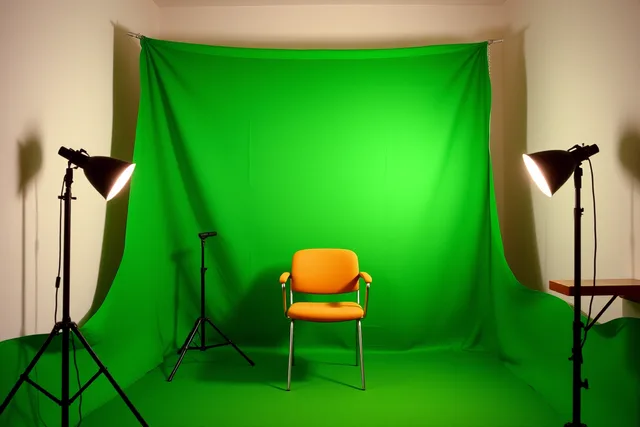
- Place two screen lamps 1 m to 1.5 m from the fabric, one each side, both at 45 degrees.
- Move the subject 1.5 m to 2 m forward of the screen before you touch the face lights.
- Set the key light at 45 degrees to the subject and flag it so no light hits the fabric.
- Check the screen on a monitor at full brightness before you record.
A green screen kit for creators usually ships with two softboxes, and that is the right starting count.
Colour temperature mismatches that split a key
Mixing a 3200 K tungsten lamp with a 5600 K daylight lamp on one screen splits the green into two tones. One side keys cleanly and the other does not. For any chroma key lighting UK setup, matching lamps matters more than wattage.
Set white balance manually, then leave it alone for the session. Auto white balance shifts as you move, which changes the green mid take.
Keep mains-powered lamps off overloaded extension leads. Official guidance on the safe use of mains equipment covers the basics for a home studio.
Green screen spill removal on skin, hair and shoulders
Spill is green light bouncing off the screen onto the subject. It shows as a green rim on shoulders, ears and light hair. Distance removes most of it.
A backlight behind the subject, flagged so it misses the screen, adds separation and cuts the rim. Software spill suppression is the last resort because it desaturates skin tones.
Example: a box room with one window
A UK box room with a window at the side gives one half of the screen daylight and the other half lamp light. The key holds on one shoulder and fails on the other. The practical detail is set out in Why there is no official studio.
Blackout the window or match the lamp to the daylight. A streaming lighting setup for UK box rooms starts with matched lamps and fixed distances.
A pre-record checklist for the screen
- Sweep the fabric and check for creases and dust.
- Switch off ceiling lights that sit between the subject and the screen.
- Confirm every screen lamp shows the same colour temperature.
- Set exposure so the green reads bright and even without clipping.
- Record ten seconds and inspect the edge in your streaming software.
Once the lamps and distances are right, the remaining work is the room itself. The step-by-step green screen setup guide covers screen types and a seven-step sequence that needs no drilling.
Common questions
How far should the subject stand from the screen?
Aim for 1.5 m to 2 m. That gap lets spill fall away before it reaches hair and shoulders, and it keeps the subject's shadow off the fabric.
Can I key a green screen with a ring light?
Yes, but not on the camera axis. A ring light placed directly in front throws an even shadow onto the screen behind the subject. Move it to 45 degrees and add a screen lamp.
Do I need special bulbs for a green screen?
No. You need matching colour temperatures across every lamp that touches the screen. Two daylight LEDs of the same rating beat one costly fixture paired with a mismatched bulb.
Why does spill remain after I fixed the lamps?
Check the screen fabric itself. A shiny or creased screen reflects more light than a matte one, and that reflection is the source of spill. Re-stretch or replace the material.